
Checking if string is empty or null in MS Flow / Power automate
Checking if string is empty or null ms flow is a common requirement when building Power Automate workflows. If this condition is not handled properly, flows can fail, skip logic, or behave unpredictably in production environments.
Checking If String Is Empty or Null MS Flow
Checking if string is empty or null MS Flow is essential for building reliable Power Automate workflows that handle missing or invalid data correctly.

In Power Automate (formerly Microsoft Flow), strings can be returned as null or empty depending on the connector, trigger, or user input. Checking for both conditions prevents flow failures, skipped logic, and unexpected errors in production environments.
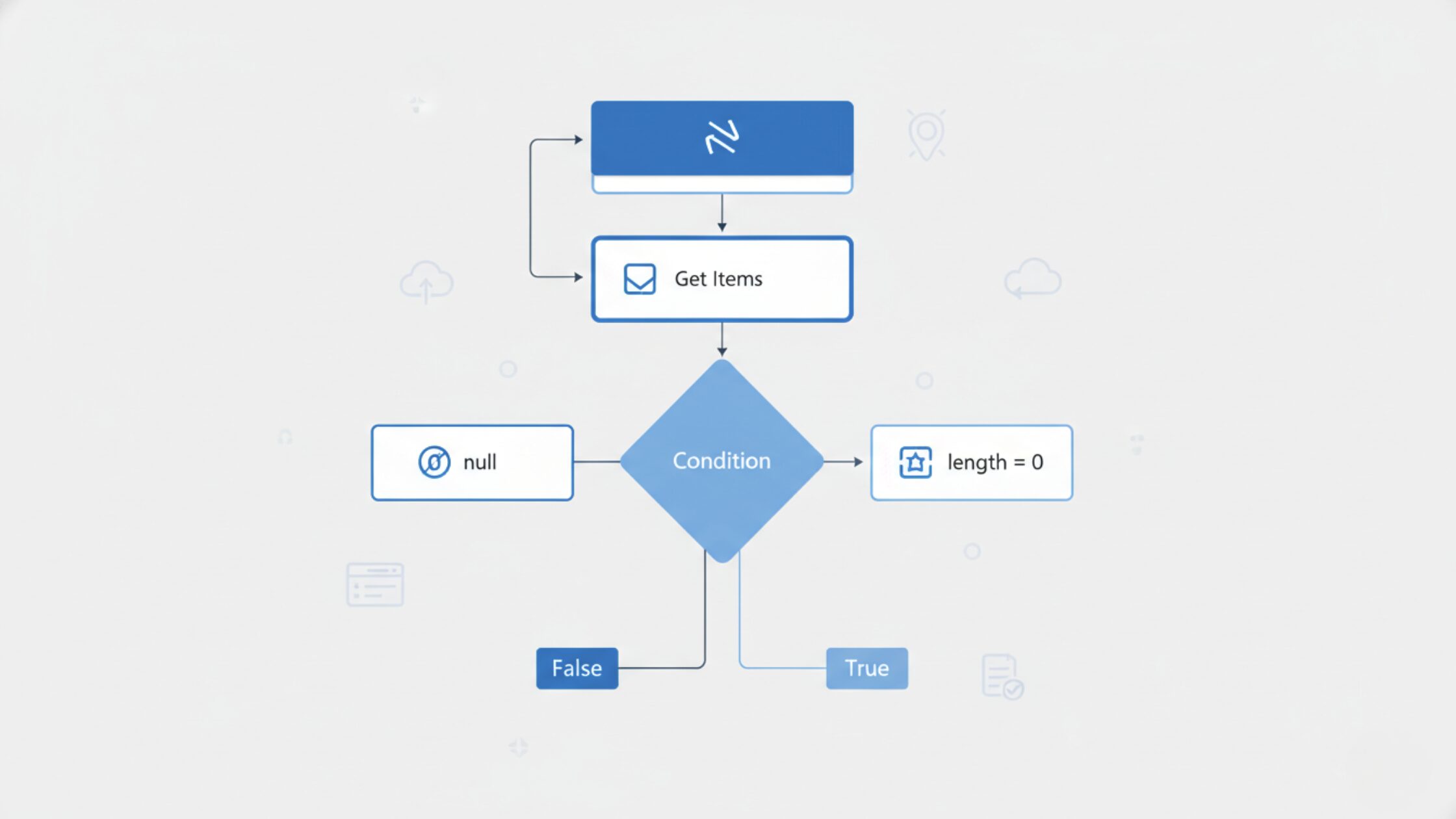
Steps:
- Add a condition step
- Change the condition to OR
- Add the string variable, and first test to see if it equals null
- Secondly check if the formula
length(<varaible>)is equal to 0
Microsoft provides detailed guidance on expressions and conditions in Power Automate in their official documentation.
Common Mistakes When Checking Empty or Null Strings in MS Flow
One common mistake when checking if a string is empty or null in MS Flow is assuming that both conditions behave the same way. In reality, a null value means no value exists, while an empty string exists but contains zero characters.
Another issue occurs when expressions are used without validating whether the previous action ran successfully. If an action is skipped, its output will be null, causing conditions to fail if not handled correctly.
Flows that rely on user input, SharePoint list fields, or dynamic content from connectors are especially vulnerable to null or empty string issues. Proper validation prevents runtime errors and ensures stable automation.
In real-world environments, Power Automate conditions like this are often part of larger workflows tied to SharePoint lists, Outlook triggers, or Microsoft 365 integrations. If these checks start failing in production, it usually points to deeper automation or data handling issues.
If the condition is true, your variable is null or empty
When to Use Expressions Instead of Conditions
While conditions are sufficient for most scenarios, expressions offer more control when working with complex workflows. Functions such as length(), empty(), and equals() can be combined to evaluate string values more precisely.
Using expressions is recommended when working with nested conditions, multiple data sources, or enterprise-level Power Automate solutions where consistency and error handling are critical.
What causes null values in Power Automate?
Null values in Power Automate usually come from missing inputs, optional fields, failed connectors, or actions that did not run due to conditional logic.
Is an empty string the same as null in MS Flow?
No. A null value means no value exists at all, while an empty string exists but contains zero characters. Both conditions must be checked separately to avoid flow errors.
Can Power Automate fail if null values are not handled?
Yes. Unhandled null values can cause conditions to fail, actions to be skipped, or flows to terminate unexpectedly in production environments.