
Microsoft 365 Security Audit
Brisbane & Gold Coast
Microsoft 365 Security Audit Brisbane and Gold Coast helps businesses identify SharePoint permission risks, governance gaps, and system vulnerabilities.
Fix Microsoft 365 and SharePoint Issues
Microsoft 365 Security Audit Brisbane and Gold Coast focuses on identifying SharePoint permission risks, governance gaps, and system issues affecting business operations.
Our Microsoft 365 Security Audit Brisbane and Gold Coast service delivers targeted remediation, not generic support, helping organisations stabilise Microsoft 365 environments with measurable outcomes.
Microsoft 365 Security Audit Brisbane and Gold Coast
Day 1
Diagnose
This is not a rebuild. It’s a reset.
Identify what’s actually blocking work.
Day 2-3
Triage & Repair
Fix the issues that slow teams down every day.
Day 4
Stabilise
Restore predictable behaviour across files, permissions, and workflows.
Day 5
Clarify
Deliver a clean, usable picture of what stays, what changes, and what waits.
Once your environment is stabilised, many teams move into automated workflows to remove manual processes and approvals across Microsoft 365. Check out Microsoft Documentation here or have peak of our SharePoint Stability Servies
Unsure whether you need a full reset
or just expert validation?
Explore our FREE 30 minute Microsoft Expert Assistance for tailored guidance and decision clarity.
Where Microsoft 365 Quietly Breaks Down
Unreliable Files
Files exist, but teams no longer trust which version is correct.
Stalled Approvals
Approvals technically work, until someone forgets to chase them.
Fragmented Workflows
Processes exist in pieces, not as a reliable end-to-end system.
Search That Doesn’t Answer
Search returns results, not certainty or confidence.
Accumulated Fixes
Years of migrations, fixes, and customisations layered without a reset.
Workarounds Becoming Normal
Teams work around the system because trusting it feels risky.
Microsoft 365 and SharePoint rarely fail outright.
They slow teams down quietly through accumulation, not failure.
SharePoint Permissions and Governance Audit
Clear visibility across Microsoft 365. Fewer unknowns. A stable system you can finally make confident decisions on.
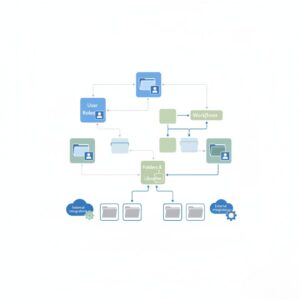
Operational Map
A clear, current view of how files, permissions, workflows, and integrations actually behave inside your Microsoft 365 environment today.
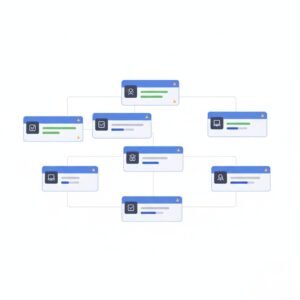
Stability Baseline
A documented baseline showing what’s working, what’s fragile, and where time and risk quietly accumulate week after week.
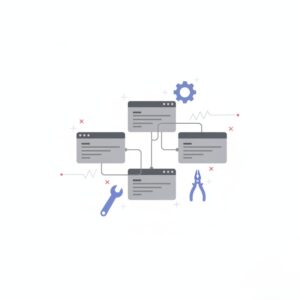
Immediate Fixes Applied
High-friction issues resolved immediately so teams stop working around the system and start trusting it again.

Risk & Dependency Log
What breaks if you change something, and what’s safe to touch without causing downstream issues?
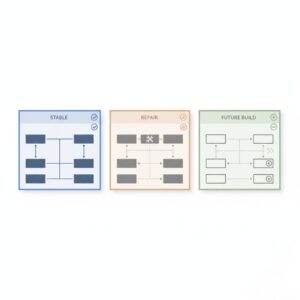
Build-vs-Fix Clarity
A grounded recommendation on what should be fixed now, rebuilt later, or left alone entirely.
Next-Step Roadmap
A prioritised path forward without committing you to any build, automation, or long-term project yet.
This isn’t a report that gathers dust. It’s a short, contained reset that gives you control back.
Who the Operations Reset Is For — and Who It Isn’t
This reset is designed for organisations experiencing real operational friction and who want clarity before committing to fixes, rebuilds, or automation.
This Is a Fit If
Your Microsoft 365 or SharePoint environment technically works, but no one fully trusts it
Teams rely on workarounds because the system feels unpredictable
Changes feel risky because no one owns the whole picture
You need clarity before committing to larger rebuilds or projects
This Is NOT a Fit If
You’re looking for a free diagnostic or general advice
You already know exactly what you want built and just need developers
The system is working well and the issues are minor
You’re not ready to pause and stabilise before adding more complexity
The Operations Reset doesn’t lock you into a longer engagement.
It gives you the information you need to decide what comes next clearly and on your terms.
What Happens Next
A short, structured conversation to confirm whether an Operations Reset makes sense.
Step 1
Initial Conversation
A focused discussion about your current Microsoft 365 and SharePoint setup, what’s slowing work down, and what’s already been tried.
Step 2
Fit Confirmation
We confirm whether an Operations Reset is the right intervention or whether something else would serve you better.
Step 3
Clear Next Step
If the reset makes sense, you’ll know exactly what it involves, the scope, and how the 5 days are structured.
Real Outcomes from Real Operations Resets
What happens when Microsoft 365 is stabilised before anything new is built.
Representative outcomes observed across Microsoft 365 Operations Resets. Results vary by environment and scope.
RESULTS THAT MATTER
After cycling through multiple off-the-shelf tools, HBI partnered with SharePointPro to stabilise Microsoft 365 operations before scaling. The goal wasn’t speed, it was clarity.
Your questions answered
Fix Microsoft 365 SharePoint Frequently Asked Questions
What is the Fix Microsoft 365 SharePoint service?
A practical remediation and operations reset service that resolves complex Microsoft 365 and SharePoint issues with governance, workflow, and architecture fixes.
How long does the operations reset take?
Typically structured into a clear, time-boxed sprint, usually 2–5 days depending on environment size.
Will this improve SharePoint and M365 stability?
Yes, the reset targets hidden failure points and optimises governance and control for reliable operations.
Is this support or consulting?
It’s senior-level consulting with clear deliverables, not open-ended support tickets.
Trusted by 100+ Australian Businesses
Join the Success
Request a Microsoft 365 security audit to understand system risks and stabilise your environment.
Start the 5 Day Ops-ResetFREE Microsoft Expert Assistance