
Local SharePoint Governance Consulting
SharePoint Consulting for
Brisbane & Gold Coast Businesses
SharePointPro provides structured SharePoint consulting services for Brisbane and Gold Coast businesses seeking governance, security and operational control.
45-minute executive review
Clear risk overview
No obligation
Trusted by these leading Brisbane and Gold Coast businesses.
SharePoint consulting for organisations with 50-1000+ employees.
BRISBANE & GOLD COAST SHAREPOINT CONSULTANTS
SharePoint Governance & Stability Consulting
Brisbane-based and servicing Gold Coast SharePoint consultants helping business owners and IT leaders stabilise Microsoft 365 environments, reduce governance risk, and regain operational control.
GOVERNANCE
Permission control Lifecycle enforcement Ownership accountability
RISK CONTROL
Copilot exposure review External sharing audits Workflow oversight
CONTINUITY
Restore validation Recovery time testing Operational resilience
CONSULTING FOCUS
Executive reporting Structured remediation Long term stability
Looking to hire a SharePoint consultant in Brisbane or Gold Coast?
Book a structured discovery call today.
join the success
Trusted by 100+ Australian Businesses














We support Brisbane and Gold Coast organisations that require structured SharePoint consulting, governance enforcement, and Microsoft 365 risk control.
CLIENT RESULTS
Brisbane & Gold Coast
SharePoint Consulting Results
HBI Australia engaged SharePointPro to stabilise Microsoft 365 governance and regain control over SharePoint permissions, site ownership, automation, and operational risk.
Through structured SharePoint consulting, we reduced exposure, clarified lifecycle rules, and delivered executive visibility across their environment.
- Reduced external sharing exposure
- Restored ownership controls across sites
- Mapped Copilot visibility before rollout
SharePoint Consulting Authority
Why Brisbane Businesses Hire SharePointPro
Brisbane and Gold Coast organisations engage SharePointPro when Microsoft 365 environments become difficult to govern, permissions begin to drift, or operational workflows lose visibility. Our consulting framework focuses on restoring stability, governance control and operational confidence across SharePoint environments.
Microsoft 365 Specialists
Governance & Architecture Focus
Governance Framework Experts
Structured Consulting Framework
SharePoint Governance
Control permissions, ownership and policy structures across your Microsoft 365 environment.
Operational Stability
Restore visibility and control across sites, workflows and automation processes.
Risk Containment
Identify governance exposure, Copilot risks and uncontrolled data access.
Consulting Clarity
Structured consulting engagement designed for business leaders and IT decision makers.
SharePoint Consulting Services in Brisbane & Gold Coast
We provide structured SharePoint consulting services to Brisbane and Gold Coast businesses that need governance control, operational clarity, and Microsoft 365 risk reduction.
Each service below addresses a specific business risk commonly seen in growing organisations.

SharePoint Stability Assessment

SharePoint Copilot Access & Permission Control

SharePoint Recovery & Business Continuity Testing

SharePoint Site Lifecycle & Ownership Governance

SharePoint & Power Automate Workflow Governance

SharePoint External Sharing & Guest Access Control
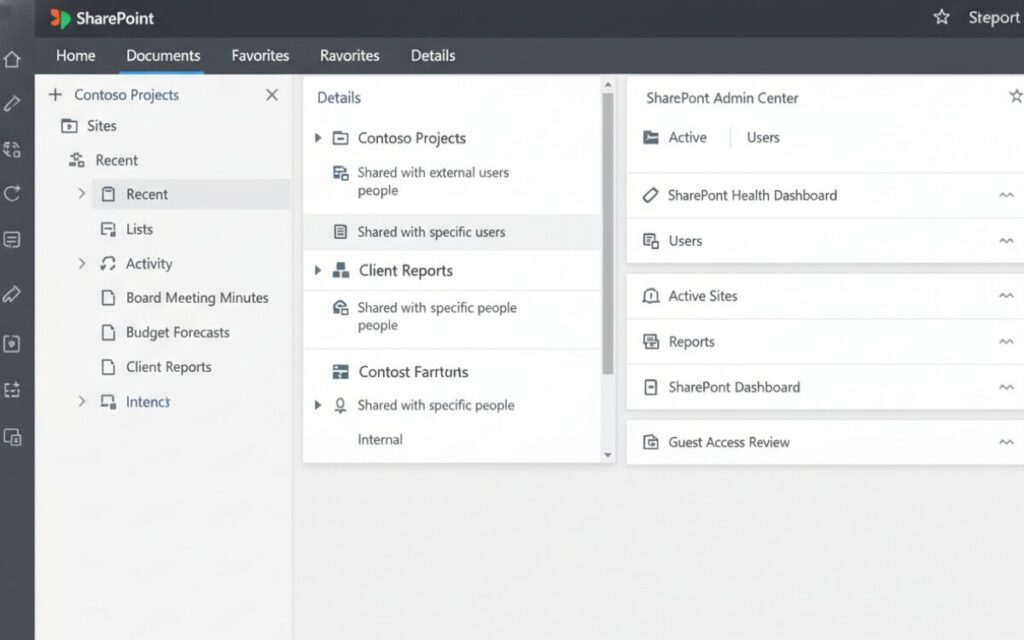
Assessment & Risk Identification
SharePoint Stability Assessment
Access & Permission Risk
We assess permission structures to identify oversharing, inheritance issues and unmanaged access that increase compliance exposure.
Governance & Ownership Gaps
We identify sites without clear owners, dormant workspaces and lifecycle breakdowns that create storage waste and audit risk.
Automation & Workflow Exposure
We review connected workflows to surface orphaned automations, dependency risks and silent failures affecting operations.
Recovery & Continuity Readiness
We evaluate whether your environment can be restored under pressure, not simply confirmed as backed up.
RECOVERY VALIDATION & BUSINESS CONTINUITY
SharePoint Recovery & Business Continuity Testing
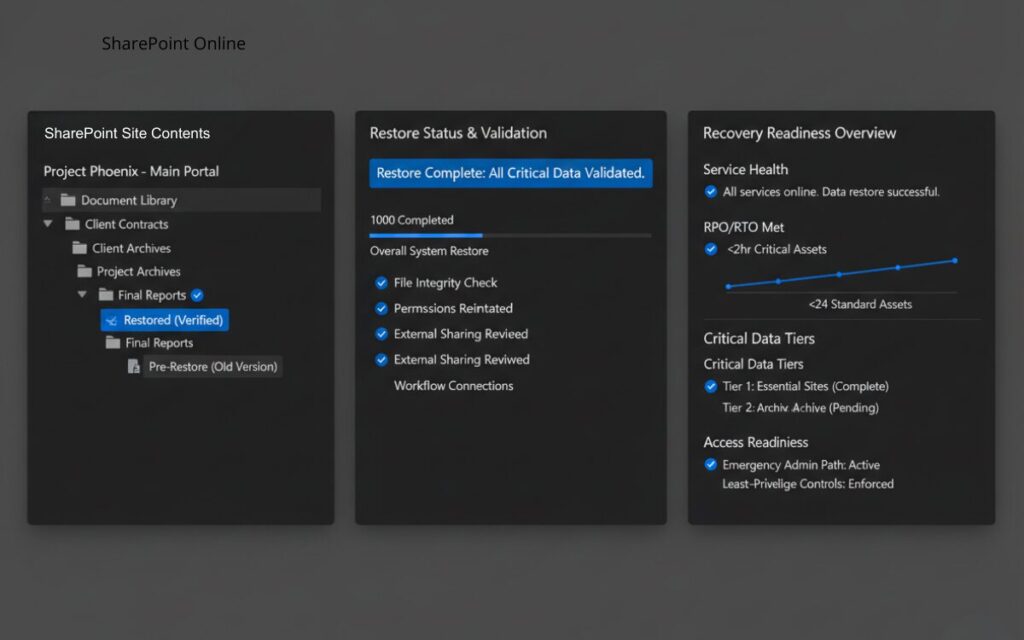
Restore Readiness Validation
We verify that critical sites and libraries can be restored successfully and within acceptable business timeframes.
Recovery Time Expectations
We define realistic restoration windows based on operational importance and impact to daily activity.
Critical Data Tiering
We classify content by priority so essential systems are restored first during disruption.
Break-Glass & Access Readiness
We confirm emergency access paths and least-privilege controls function during high-pressure recovery events.
COPILOT READINESS & PERMISSION RISK CONTROL
SharePoint Copilot Access & Permission Control
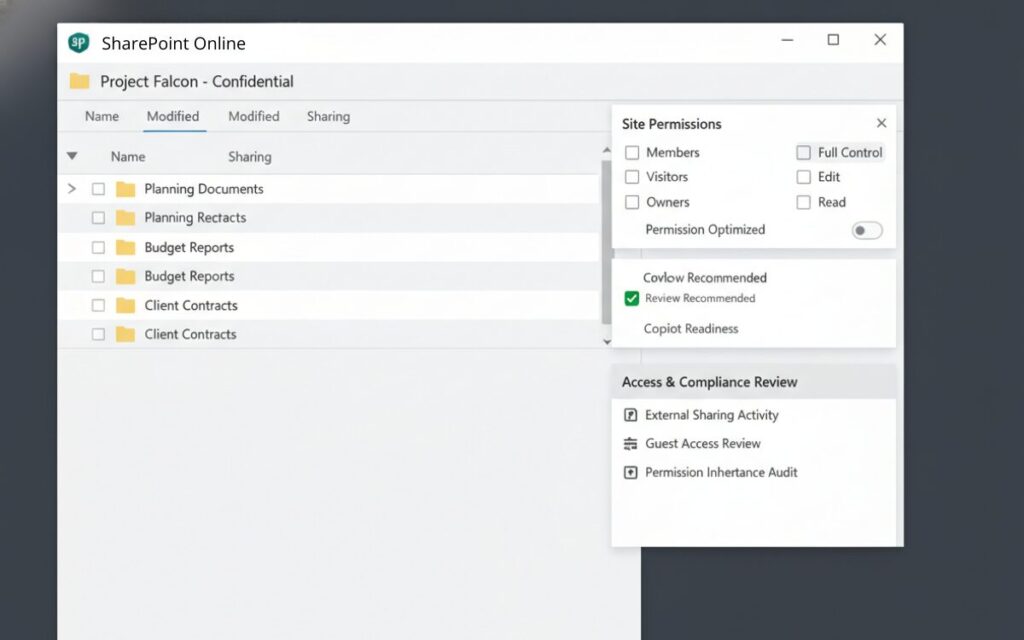
Copilot Visibility Mapping
We identify what SharePoint content Copilot can access based on real permission structures across sites and libraries.
Permission Drift Detection
We surface inherited permissions and historic access decisions that quietly expand AI visibility.
Targeted Containment Actions
We apply structured permission corrections without disrupting active business workflows.
Copilot-Safe Access Model
We establish access boundaries that support AI adoption without increasing compliance exposure.
Lifecycle Control & Ownership Enforcement
SharePoint Site Lifecycle & Ownership Governance
Site Ownership Enforcement
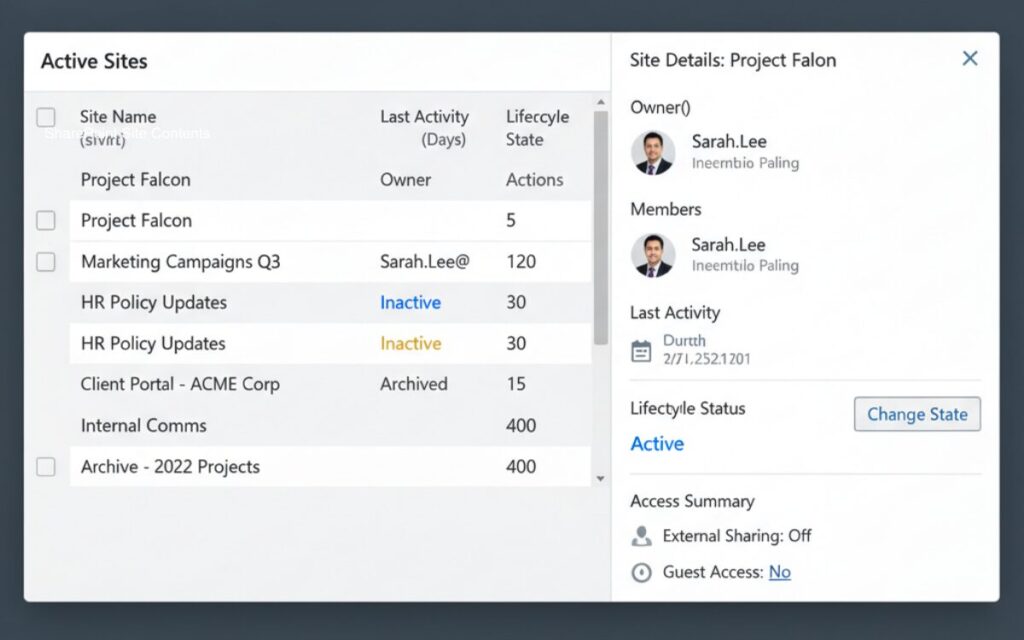
We identify sites without accountable owners and implement structured ownership standards across your Microsoft 365 environment.
Lifecycle State Control
We define active, inactive and archived stages aligned to how your organisation operates and scales.
Dormant & Orphaned Site Detection
We surface unused or abandoned sites accumulating data, permissions and unnecessary operational risk.
Project Closure & Archiving Rules
We introduce structured closure patterns so completed projects do not remain indefinitely within SharePoint.
External Collaboration & Guest Governance
SharePoint External Sharing & Guest Access Control
Guest Access Visibility
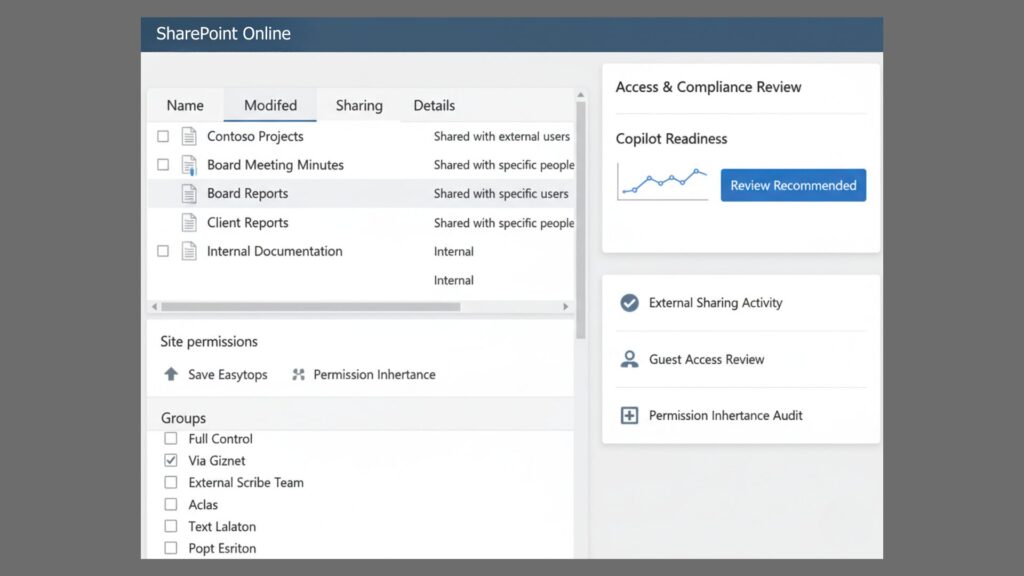
We surface every external user, guest account, and inherited permission across SharePoint sites and document libraries, including historical access that quietly persists.
Time-Bound Sharing Controls
We enforce expiry rules, review cycles, and conditional access policies so shared files and folders do not remain exposed indefinitely.
External Sharing Risk Detection
We identify overshared libraries, broken permission inheritance, and broad link-based access that expands Copilot visibility unintentionally.
Contained Collaboration Model
We implement structured sharing patterns that allow external collaboration without increasing compliance exposure or data leakage risk.
Automation Visibility & Control
SharePoint & Power Automate Workflow Governance
Workflow Inventory & Ownership
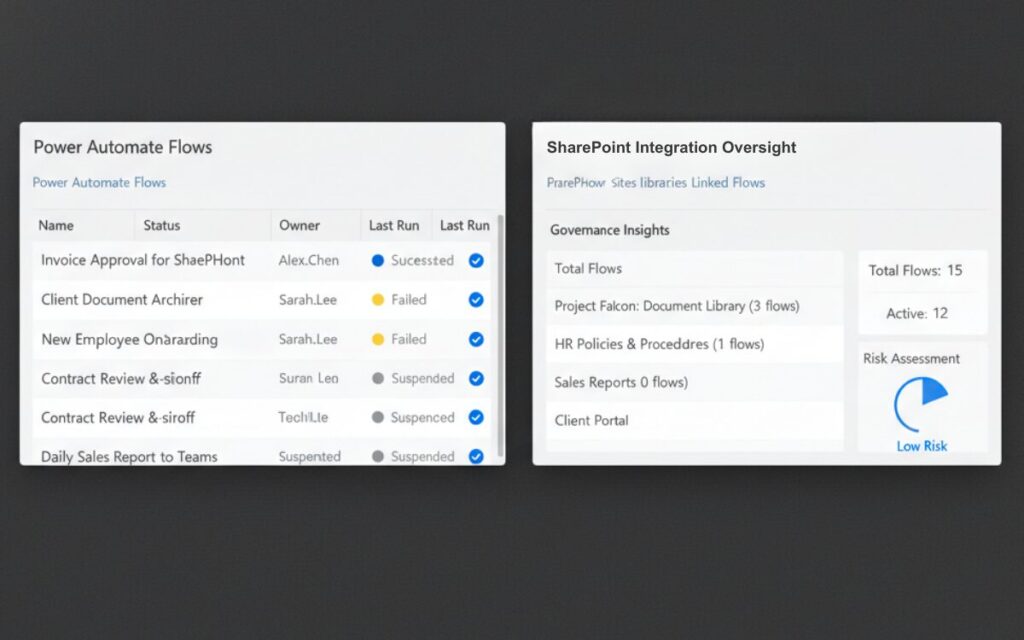
We identify all connected Power Automate flows and assign clear ownership across your Microsoft 365 environment.
Critical & Orphaned Flow Detection
We surface abandoned or business-critical workflows running without accountability or oversight.
Failure Monitoring & Risk Exposure
We detect dependency risks and silent automation failures that interrupt business operations.
Change Control & Version Governance
We introduce approval controls and version tracking to reduce accidental or high-risk workflow changes.
Learn more about Microsoft SharePoint permissions and access control in Microsoft documentation.
Engage a SharePoint Consultant in Brisbane
If your SharePoint environment is growing faster than your governance controls, now is the time to act. Our structured SharePoint consulting approach helps Brisbane and Gold Coast businesses regain control before risk escalates.
Stability First
Identify governance risk before it impacts operations.
Expose Risk
Surface permission drift and external exposure.
Set Priorities
Separate urgent containment from long term improvement.
Prevent Rebuilds
Apply targeted controls instead of disruptive restructures.
Action Plan
Receive a clear governance roadmap for your organisation.
- 45–60 min structured review
- Executive risk summary
- No rebuild recommendation unless required
Limited assessment capacity each month due to remediation delivery commitments.
SharePoint Consulting for Brisbane & Gold Coast Businesses
SharePointPro provides structured consulting services for organisations across Brisbane and the Gold Coast seeking to stabilise Microsoft 365 environments, control SharePoint governance and resolve operational inefficiencies.Our consulting engagements focus on restoring permission control, strengthening governance frameworks and ensuring business workflows remain stable and auditable.
SharePoint Consulting FAQs
Do you provide SharePoint consulting in Brisbane?
Yes. SharePointPro provides structured SharePoint consulting services for businesses in Brisbane and the Gold Coast, focusing on governance, risk control and Microsoft 365 stability.
What does a SharePoint discovery call include?
A structured 45–60 minute review covering permission exposure, Copilot access risks, workflow oversight and recovery readiness across your SharePoint environment.
Do we need a SharePoint consultant if our system is already running?
Many organisations operate Microsoft 365 environments that appear functional but contain governance risks, permission drift or uncontrolled external sharing. A consulting engagement helps identify and resolve these exposures before they affect operations.
What happens during a SharePoint discovery call?
A structured discussion reviewing governance controls, permission structures, workflow oversight and operational risks within your Microsoft 365 environment.
Do you support Microsoft 365 governance and compliance?
Yes. We help organisations implement governance frameworks that control site ownership, permissions, automation and external sharing.
How quickly can a SharePoint stability assessment be completed?
Most discovery calls can be scheduled within a few days depending on current remediation commitments.
Can you work alongside our internal IT team?
Yes. SharePointPro consulting engagements often collaborate with internal IT teams to strengthen governance frameworks and stabilise SharePoint environments.
Do you provide SharePoint consulting for Brisbane and Gold Coast businesses?
Yes. SharePointPro provides consulting services for organisations across Brisbane and the Gold Coast seeking to improve governance, control permissions and stabilise Microsoft 365 environments.

Ready to Engage a SharePoint Consultant?
Brisbane and Gold Coast businesses book a structured discovery call to assess governance risk, Copilot exposure, recovery readiness and workflow stability.